Disciplines
Set up a new discipline, from AGB code to contract, so you can invoice and claim its appointments.Overview
A discipline is the field in which your practice provides care, such as physiotherapy, dietetics or occupational therapy. Flux uses the discipline to choose the right AGB codes, performance codes and rates on an invoice. That is why you set up a new discipline in five places:
- The organisation AGB code: which of your practice's AGB codes the discipline falls under.
- The practitioners: who provides the discipline, with which personal AGB code.
- The appointment types: which appointments belong to the discipline.
- The rates: what a treatment costs when no contract applies.
- The contracts: what you claim from the health insurer.
Only when all five are right can Flux invoice and claim the discipline's appointments.
Request an organisation AGB code
In Flux, a discipline belongs to an organisation AGB code. If your practice gets its own AGB code from Vektis for the new discipline, request it in Flux:
- Go to Settings → General.
- Under AGB number, click 'Add AGB number'.
- Enter the 8-digit organisation AGB number.
- Under Discipline, choose the disciplines that fall under this AGB code.
- Click 'Request number'.
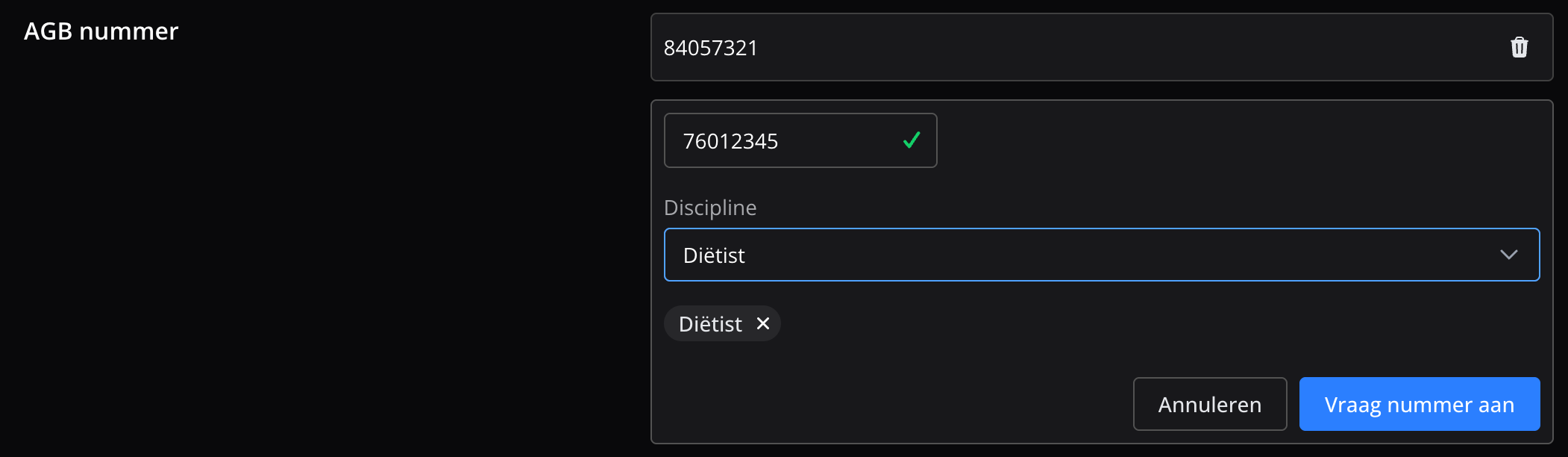
The Flux team checks your request and sets up the AGB code with the discipline for you. You are notified once that is done. After that, you see the AGB code and its disciplines under General.
Set up the discipline for a practitioner
Every practitioner who provides the discipline needs that discipline and a personal AGB code for it. Flux puts that AGB code on the invoice.
- Go to Settings → Users.
- Next to the practitioner, click Actions and choose 'Edit user'.
- Under Professional Information, choose the new discipline under Discipline. A field for that discipline appears under AGB codes.
- Enter the practitioner's personal AGB code for this discipline.
- Click Update.
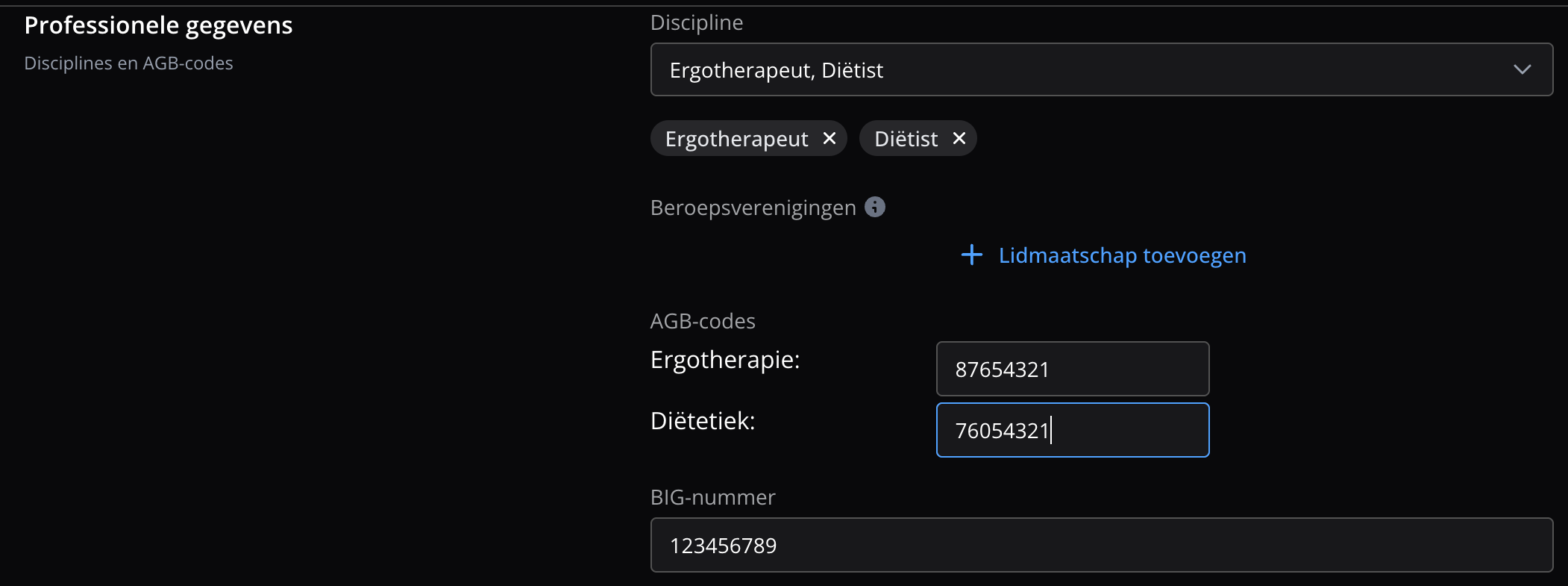
Flux checks that the AGB code is valid and registered as a personal code in the AGB register.
The discipline also decides for which appointment types patients can book a practitioner online. See Online appointments.
Create an appointment type
The appointment type decides which discipline an appointment belongs to. If your practice has more than one organisation AGB code, Flux uses it to choose which AGB code goes on the invoice.
- Go to Settings → Appointments → Appointment types and click 'Add new appointment type'.
- Under General, fill in the name, abbreviation, duration and calendar colour, for example Dietary advice, DA and 30 min.
- Under Treatment type, choose the treatment that belongs to the discipline, for example Dietetics or Occupational therapy.
- If needed, tick First consult or one of the other options.
- Under Invoices, turn on 'Appointments of this type should be invoiced'.
- Click Save.
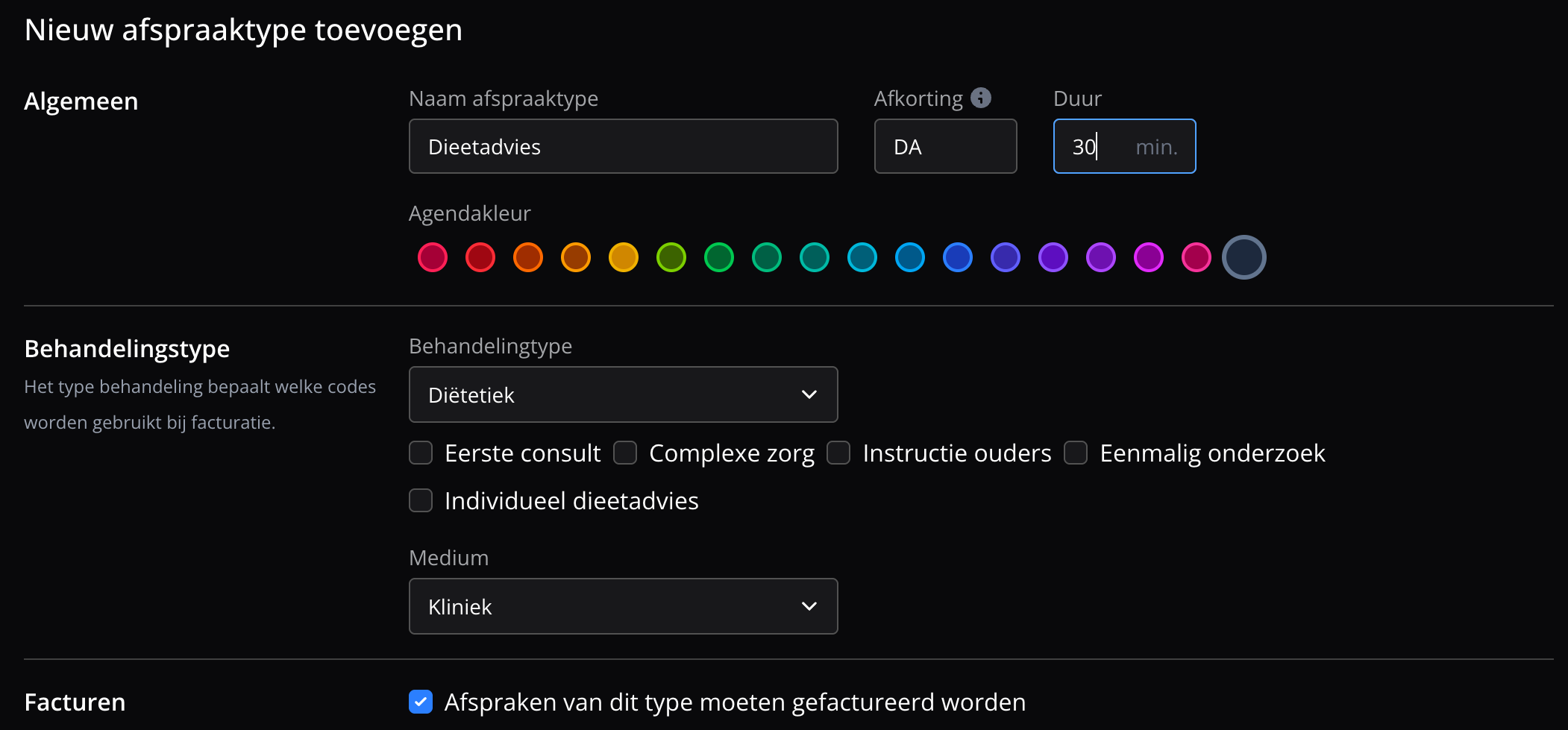
Read more about appointment types in Appointment types.
Set up rates
Rates are the prices Flux uses when no contract applies, for example for a patient without cover.
- Go to Settings → Invoices → Prices and click 'Add rate'.
- Under Performance code list, choose the list for the discipline, for example Dietetics (076), then choose the performance code.
- Enter the rate and the 'Period from' date.
- Click Create.
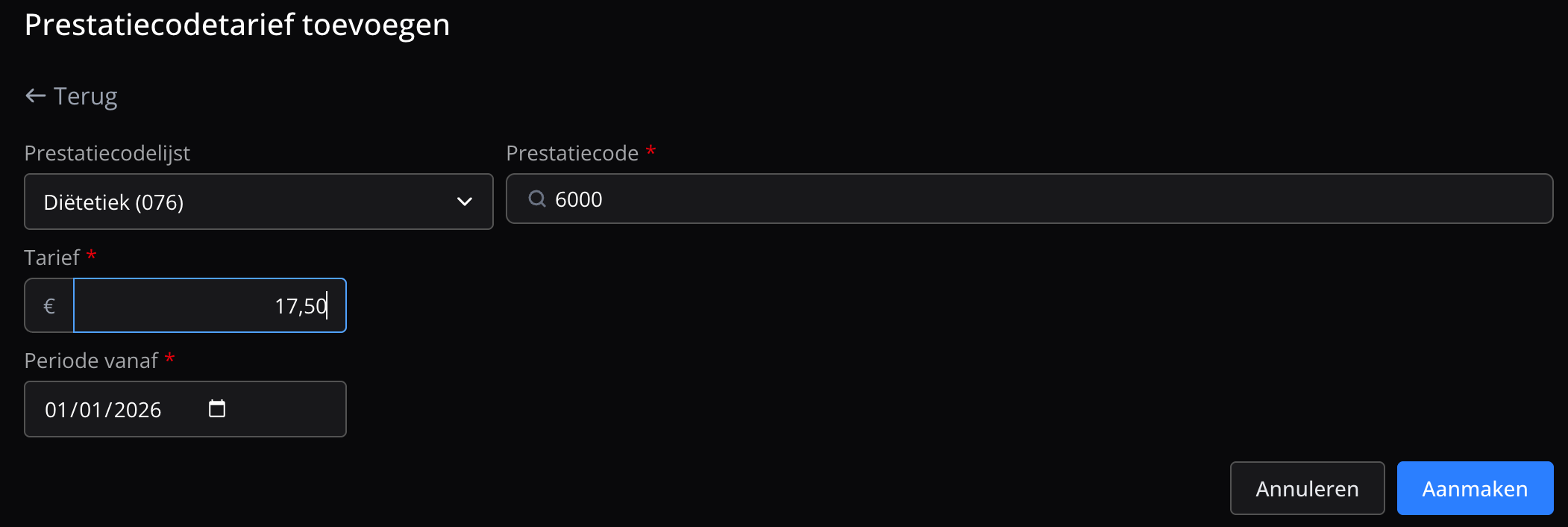
Repeat this for every performance code you use. Rates explains more.
Add contracts
A contract with a health insurer belongs to an organisation AGB code and a performance code list. Flux only claims a treatment from the health insurer when, on the treatment date, there is a contract for the AGB code and the patient's insurer. Otherwise, the invoice goes to the patient.
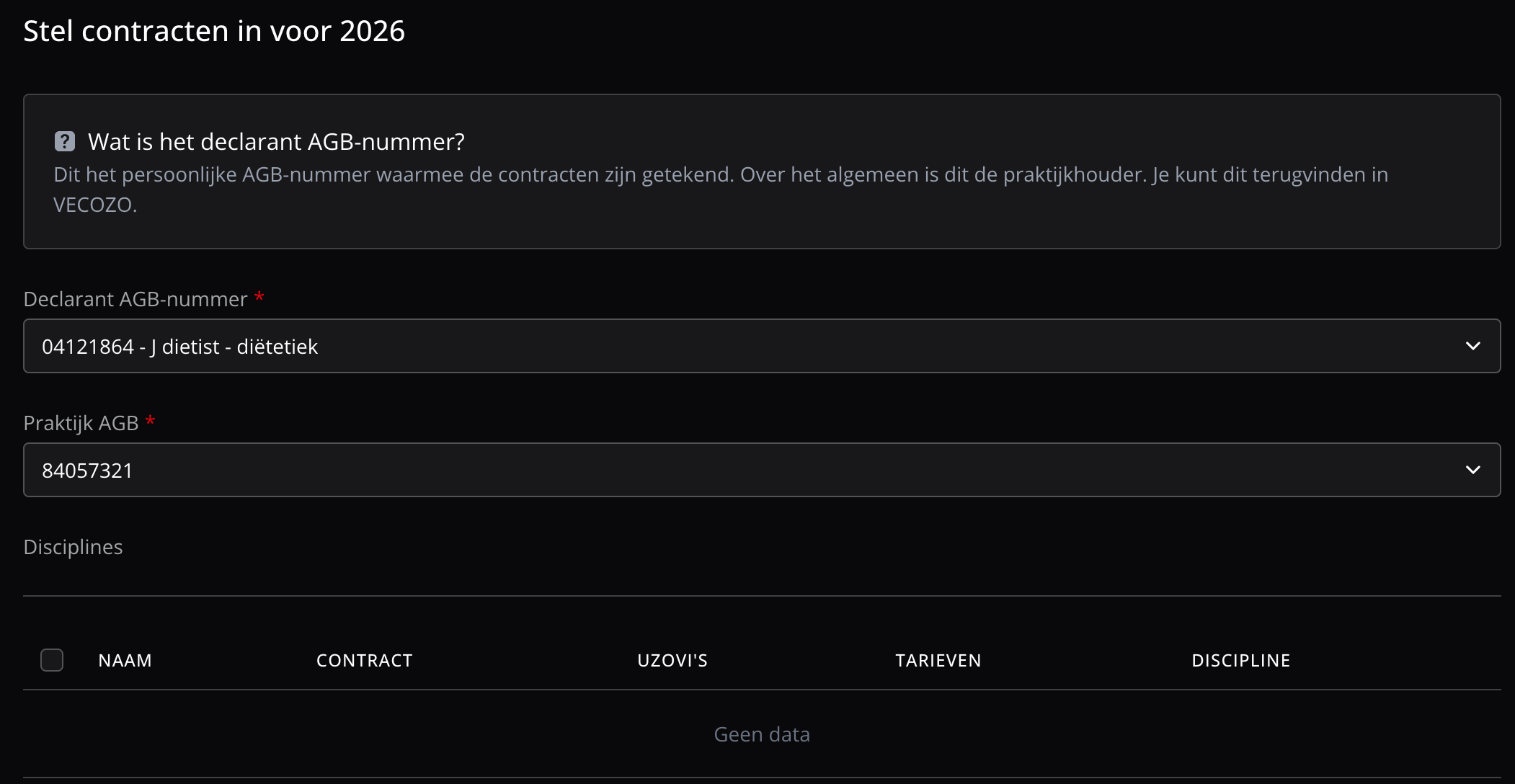
Set up contracts for a year
- Go to Settings → Invoices → Contracts and click Configure.
- Choose the Declarant AGB number, and under Clinic AGB the organisation AGB code of the discipline.
- Under Disciplines, tick the new discipline.
- Select the contracts you have agreed with the health insurers.
- Click Create.
Add a contract manually
- Click 'New contract'.
- Under AGB code, choose the organisation AGB code of the discipline.
- Under Performance code list, choose the list for the discipline, for example Dietetics (076).
- Fill in the other details and rates.
- Click Create.
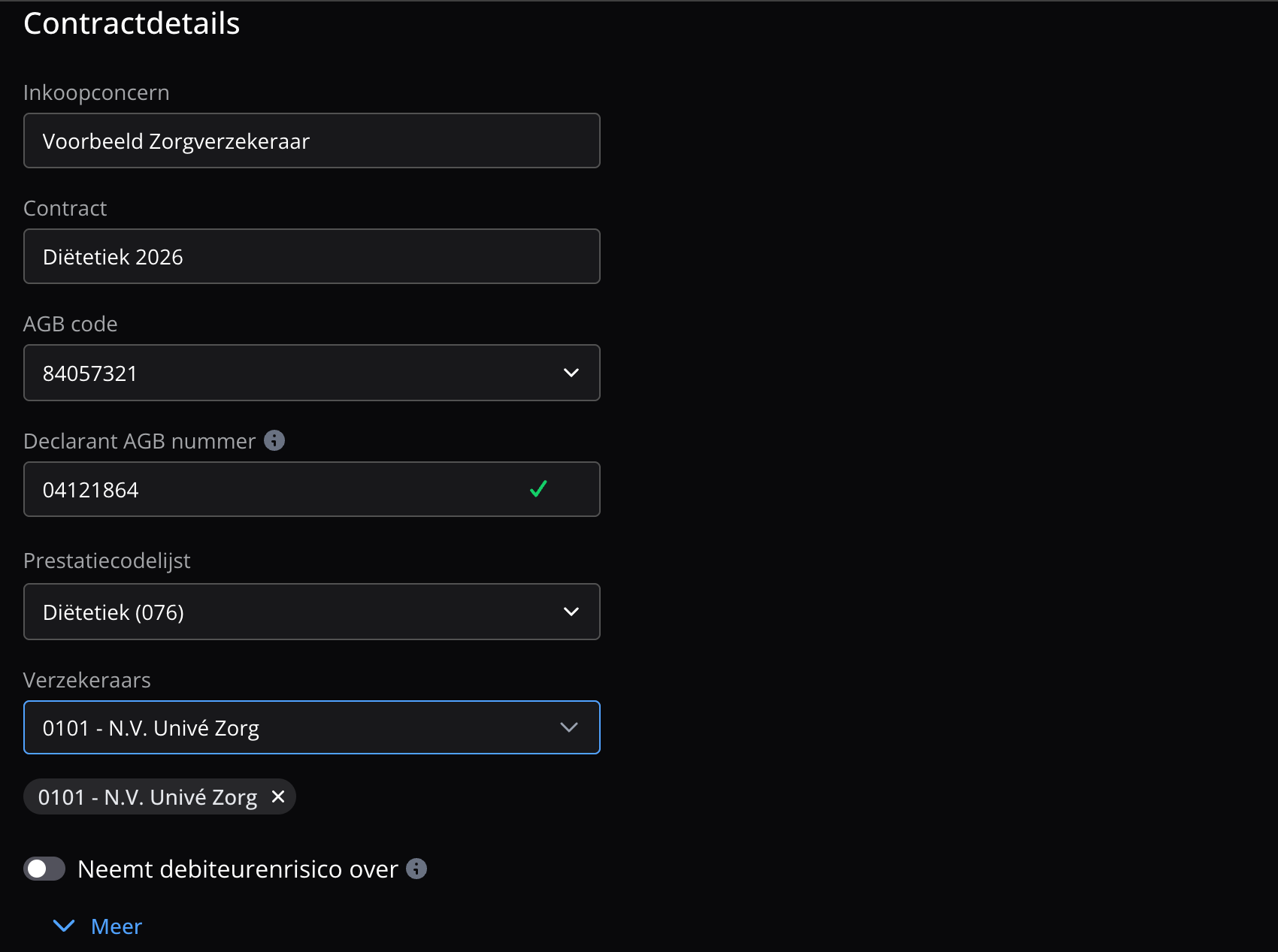
Contracts describes every contract detail.
Frequently asked questions
Answers to questions about setting up a discipline.
Invoice generation fails because no practice AGB code is set for the discipline
The appointment type's discipline is not on any of your organisation AGB codes. Check which disciplines your AGB codes have under Settings → General. If the discipline is missing, contact support.
I see the message 'Invoice generation failed due to missing AGB code for discipline.'
The practitioner has no personal AGB code for the discipline of the referral. Add it under Settings → Users, in Professional Information.
The invoice goes to the patient instead of the health insurer
Flux only claims from the health insurer when there is a contract for the organisation AGB code and the patient's insurer. Check that the contract exists, has the discipline's performance code list and applies on the treatment date.