ZorgTopics
Access ZorgTopics' evidence-based care plans, guidelines, and quality insights through Flux.
Overview
The ZorgTopics integration makes it possible to use the knowledge and tools of ZorgTopics directly within Flux — the digital knowledge platform for physiotherapists.
With ZorgTopics you get access to:
- Evidence-based care plans for the most common conditions, including access to GLA:D®, the proven Danish osteoarthritis program.
- Additional agreements with health insurers, aimed at better contracts and higher reimbursements.
- Quality and satisfaction benchmarks that give you insight into your own results and let you learn from fellow practices.
- Training and support through the ZorgTopics Academy, including discounts on accredited courses.
- A voice in the future of physiotherapy — members jointly determine the course of the cooperative.
The integration with ZorgTopics will make it possible in the future to use this knowledge, these care plans, and quality insights directly in Flux. Thanks to this integration, you no longer need to switch between systems; you will soon be able to consult relevant information directly while working in the patient record.
The integration is currently under development. Once it is available, from within Flux you can:
- open ZorgTopics topics and guidelines without logging in;
- link clinimetrics and measurement instruments to the treatment plan;
- and substantiate evidence-based choices directly from the patient's working context.
Scheduling an intake
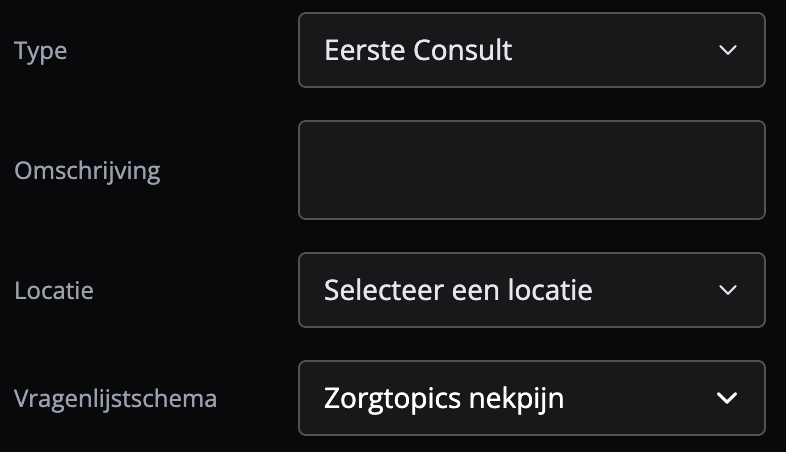
The first step in using ZorgTopics is taken when scheduling the intake. During scheduling, the option to choose a questionnaire schedule appears. Note that this option only appears when an intake appointment type is used. This questionnaire schedule is then sent directly to the patient.
Performing an intake
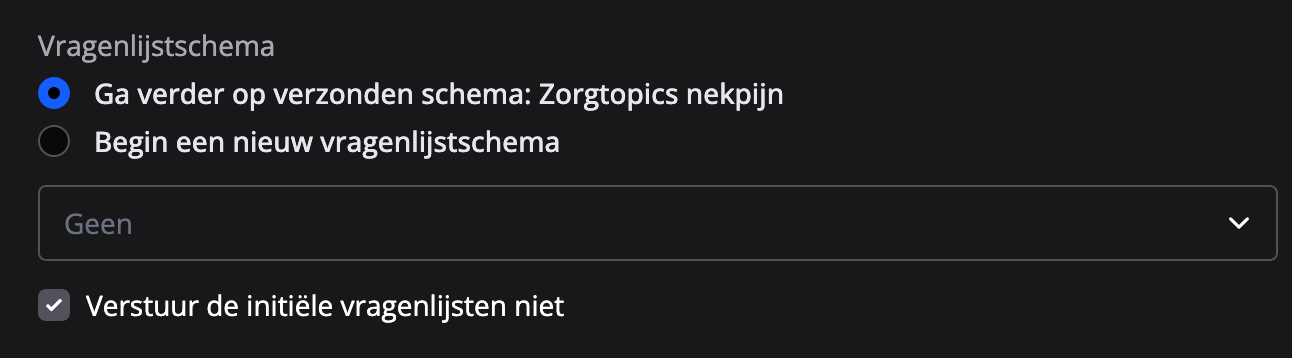
If a questionnaire schedule was selected when scheduling the appointment, it is automatically selected when entering the intake. Here you can also choose to start a new schedule, in which case the previous schedule lapses.
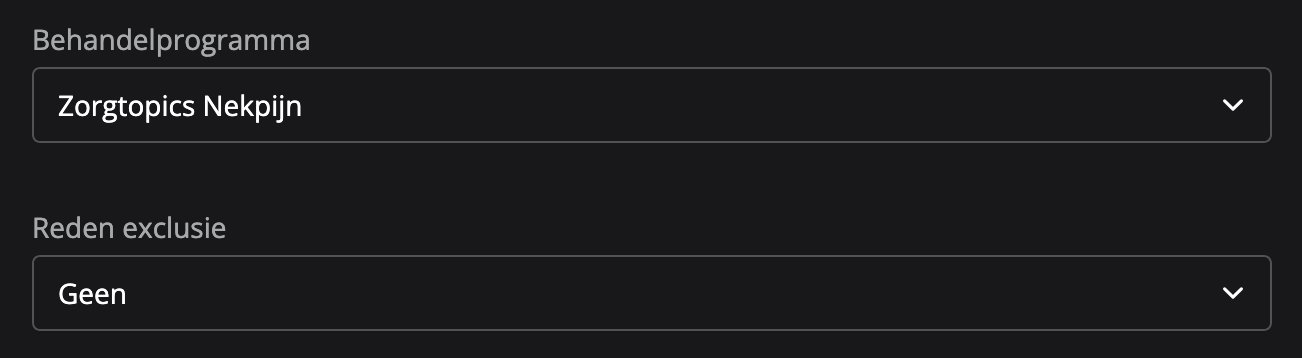
After entering the diagnosis, you can choose a treatment program. Choosing this program makes the treatment plans that fall under the program available and marks the treatment episode as a ZorgTopics treatment episode. Flux recommends treatment programs based on the diagnosis code, but you are not required to choose a recommended program. If necessary, you can also enter the reason for exclusion here.
For the treatment plan, you can then choose from the various treatment plans that fall under the treatment program.

Note: after the treatment episode has been created, it is no longer possible to change the treatment program. The treatment plan can still be adjusted.
Finally, the patient's consent must be recorded to enable sharing data with ZorgTopics.

The data can be sent to ZorgTopics from the ZorgTopics App, found in the settings. Here you can enable automatic sending or send an export manually.