Group appointments
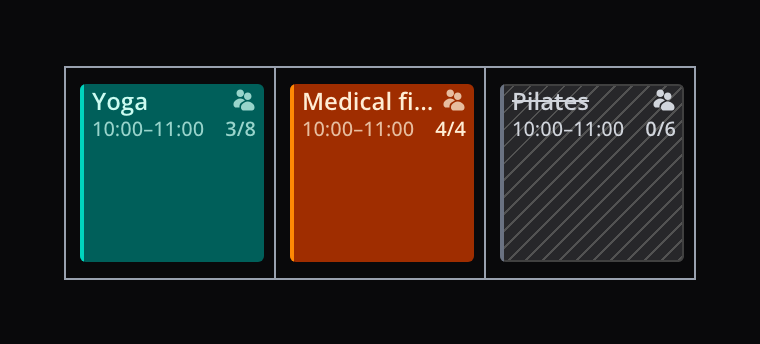
A group training session, a bootcamp or an information evening: many practices treat patients in groups too. You can now plan those in Flux as group appointments. The group shows as one block in the calendar, and you see right away how many places are still free.
Group appointments are available on Flux Clinic and up.
Set it up with an appointment type
You create a group as an appointment type of the new kind Group, under Settings → Appointment types. The appointment type sets the name, the colour in the calendar, the duration and the maximum number of patients.
You also choose how participants can pay: through their health insurer, with a product or with credits from a package. For each patient you pick one of those. That way patients who pay with package credits and patients who pay through their health insurer simply join the same group.
The group at a glance
A group appointment shows as one block in the calendar of every practitioner taking part, in the appointment type's colour. The block shows how many places are taken, for example 3/8, or 4/4 once the group is full.
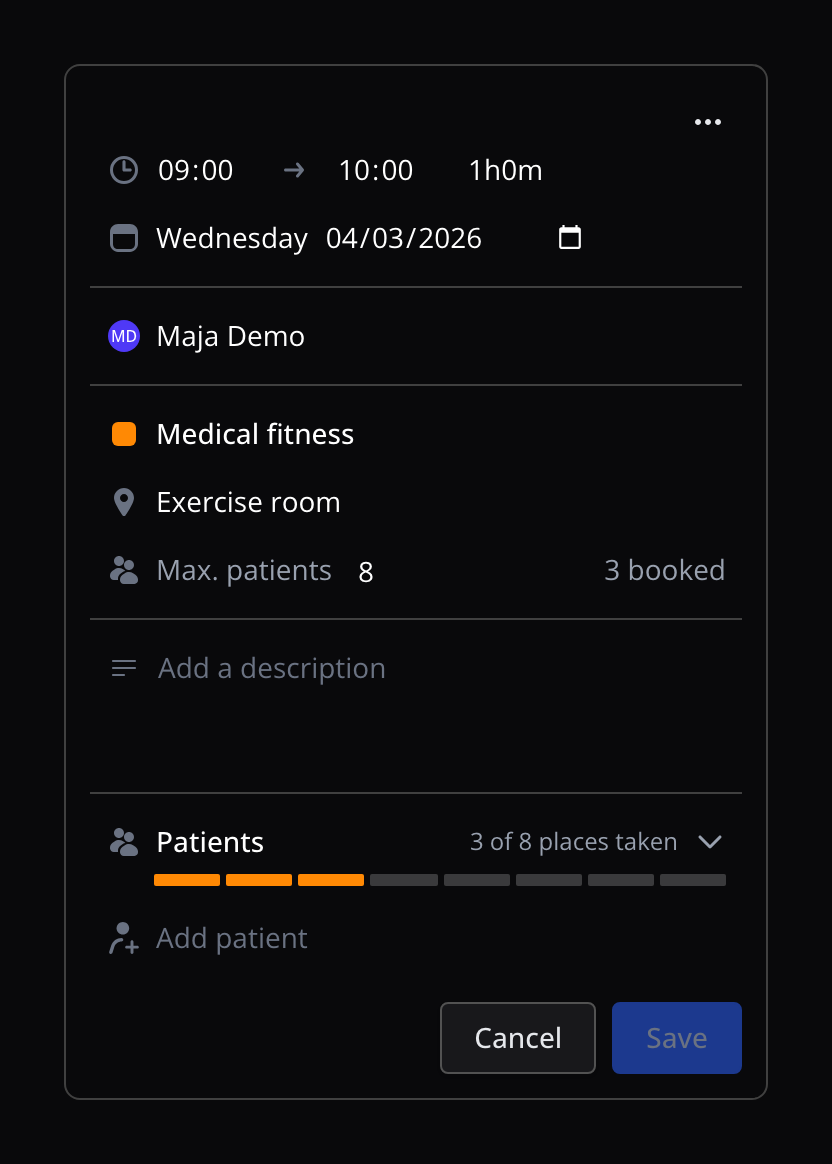
Click the block and the group appointment opens next to the calendar, with how many places are taken. One click shows who is in the group.
Plan, edit and cancel
- Plan: click an empty slot in the calendar and choose Group appointment at the top. You can add patients straight away.
- Add and remove patients: search for a patient, choose how they pay and add them to the group. Every patient gets an appointment of their own.
- Edit: move the time, add a practitioner or pick another location. The patients' appointments move along, and you choose whether the patients get an email.
- A different maximum: give one group a maximum of its own, apart from the appointment type.
- Cancel: cancel the whole group at once, with or without an email to the patients.
Billing per patient
Every patient in the group has an appointment of their own, billed in the way you chose for that patient. For care, Flux claims the group treatment code that fits the number of patients in the group. Package credits are deducted as usual. Flux invoices a no-show with the appointment type's no-show product, however the patient pays.
Get started
Read in the documentation how to set up an appointment type for group appointments and how to work with group appointments in the calendar.